![Logo_3spin_Learning_white.png]](https://helpcenter.3spin-learning.com/hs-fs/hubfs/Logos/Logo_3spin_Learning_white.png?width=80&height=40&name=Logo_3spin_Learning_white.png)
Prerequisites
- The course must already exist.
- Users must already exist in your team.
- You need a role with permission to manage courses (e.g. Team Admin or Author).
Open courses
- Navigate to the Courses section.
- Select the course you want to manage.
You will see an overview of the course, including the number of enrolled users.
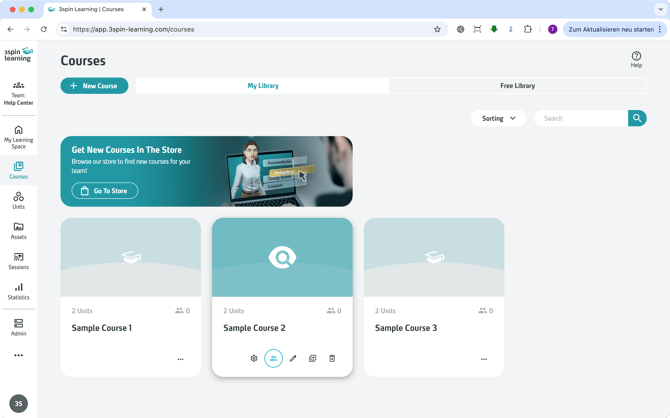
Enroll users in a course
- Click the user icon on the course card.
- In the dialog, click + Enroll Users.
- Select one or more users from the list.
- Click OK.
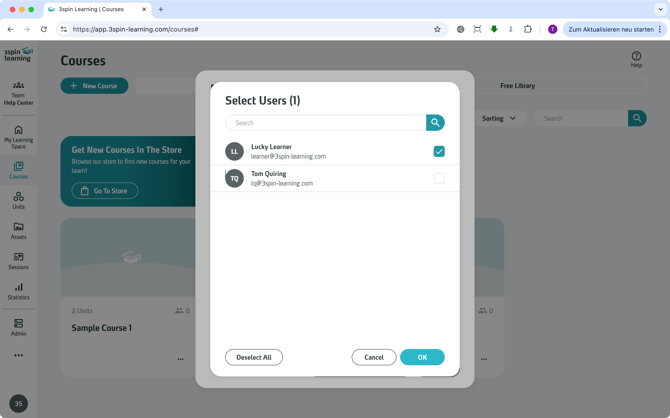
The selected users are now enrolled in the course.
Check enrolled users
After enrolling users:
- The user list in the dialog is updated.
- The course overview shows the updated number of enrolled users.
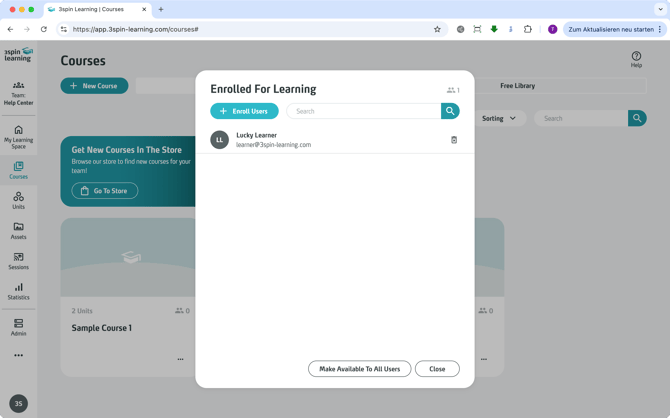
Make a course available to all users (optional)
Courses can also be made available to all users without manual enrollment.
Note
If a course is set to public, all users can access it without being enrolled individually.
What enrolled users will see
After enrollment:
- The user will see the course in their Learning Space.
- The user can open the course and start completing its units.
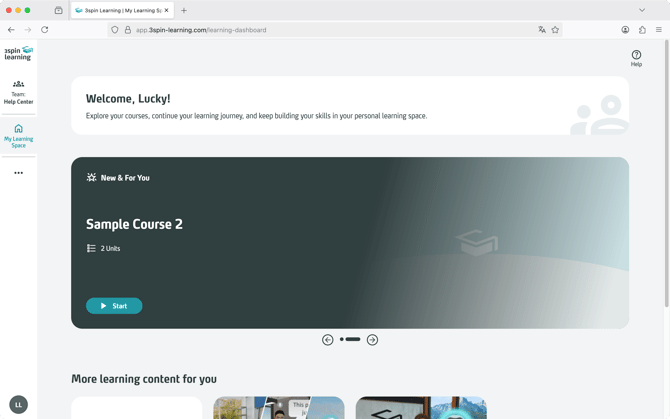
Remove users from a course
- Open the course and click the user icon.
- In the list of enrolled users, click the trash icon next to a user.
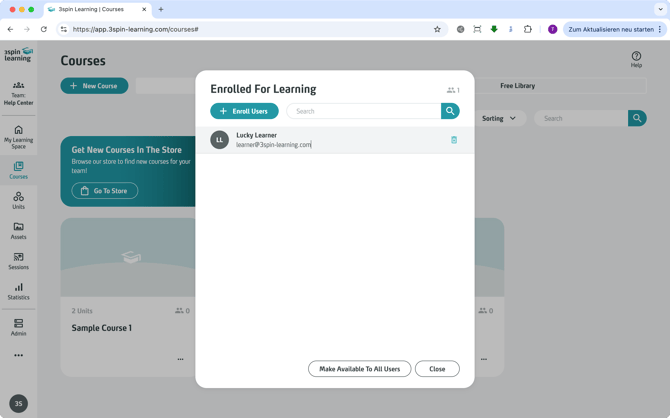
The user is removed from the course.
What removed users will see
After removal the course is no longer visible to the user in their Learning Space.